
Appearance
UnityPredict Repositories
The Basics
Repositories within UnityPredict serve as critical organizational units for managing Models and Engines. Any Engine and/or Model that is created must be stored in a particular repository.
Repositories are specifically designed to enhance collaboration and ensure secure access for authorized team members and departments. Effective management of these repositories promotes organized workflows, facilitates seamless collaboration, and provides secure storage for critical project resources.
repository provides access control as well as ownership of the entity. structured environments for storing and managing project-related models. These repositories are specifically designed to enhance collaboration, support version control, and ensure secure access for authorized team members and departments. Effective management of these repositories promotes organized workflows, facilitates seamless collaboration, and provides secure storage for critical project artifacts.
Access Control & Ownership
Access control and ownership of Models & Engines are controlled at the repository level. This means that users will be able to access a Model and/or Engine depending on what kind of access they have to the repository that the Engine/Model belongs to.
Repository Ownership: A repository must have an Owner. A repository Owner is defined as an individual User or Organization that the repository belongs to. If an Owner is not explicitly defined during repository creation, the system will automatically set the logged-in user as the owner of the repository.
Repository Access Control: Access control can be defined at a repository level or at the Owner level. For example, a user that has access to an Organization that owns a repository can also access the repository. But the user can alternatively be added directly and only to the repository, hence limiting access to other repositories under the Organization.
Note: It is highly recommended that a Model (and any custom Engine it depends on) is stored/assigned to the same repository.
Repository List
The Repository List offers a comprehensive overview of all accessible repositories. This list includes all repositories that the user has, at least, read-only access to. Depending on the permissions assigned, users can manage repositories directly from this interface, with options to edit, delete, or copy the Repository Id (used for local development and the UnityPredict SDK).
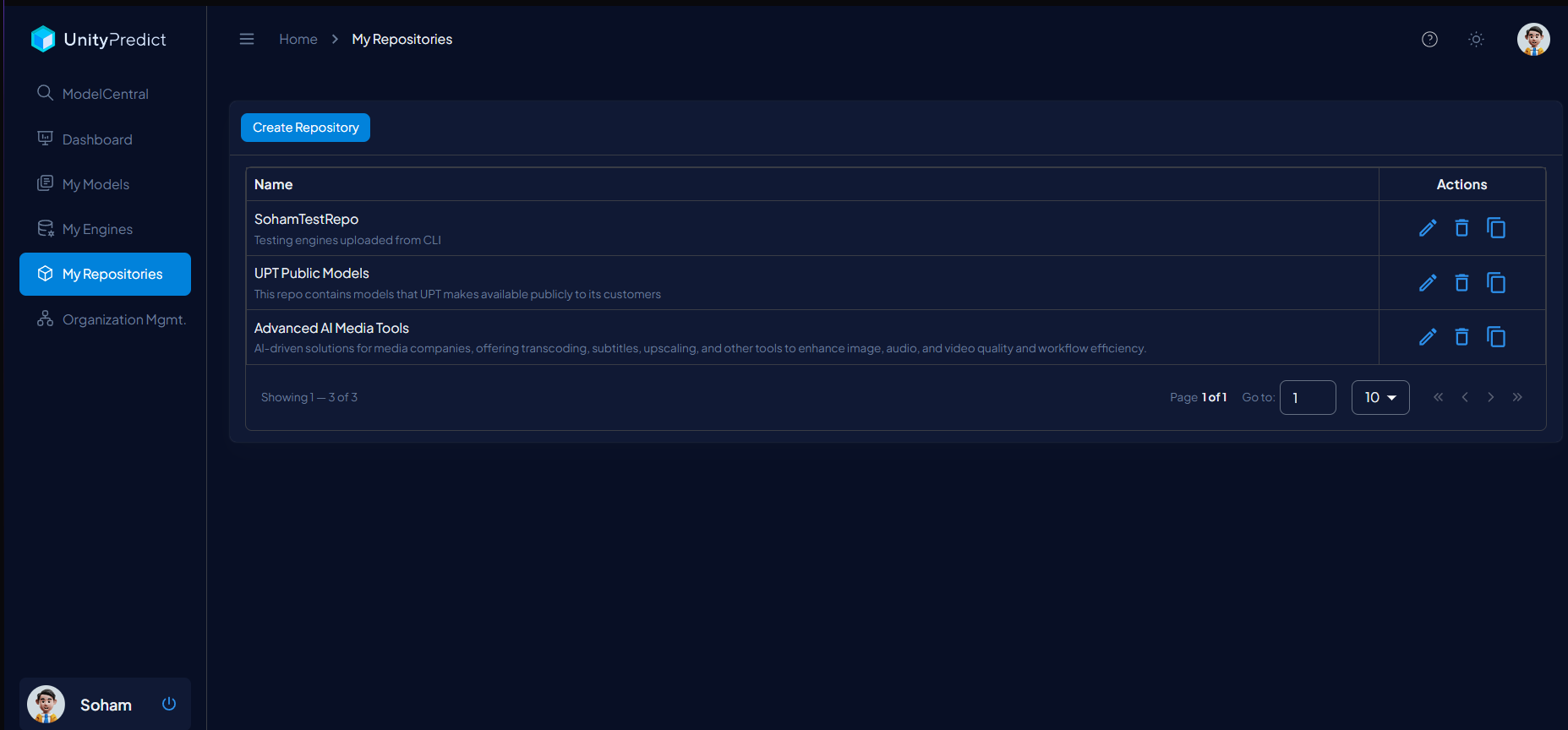
Repository Name:A short name for the repository.Description:A brief explanation of the repository's purpose or content.Actions:Quick action operations against the repository:Edit:It opens theEdit RepositoryUI for modifying repository details.Delete:Permanently removes the repository. This operation is blocked if there are any Engine(s) and/or Model(s) in the repository.Copy Repository Id:Copies the repository unique identifier for use with the UnityPredict SDK.
Repository Creation/Edit
The Create/Edit interface enables users to create or modify a repository.
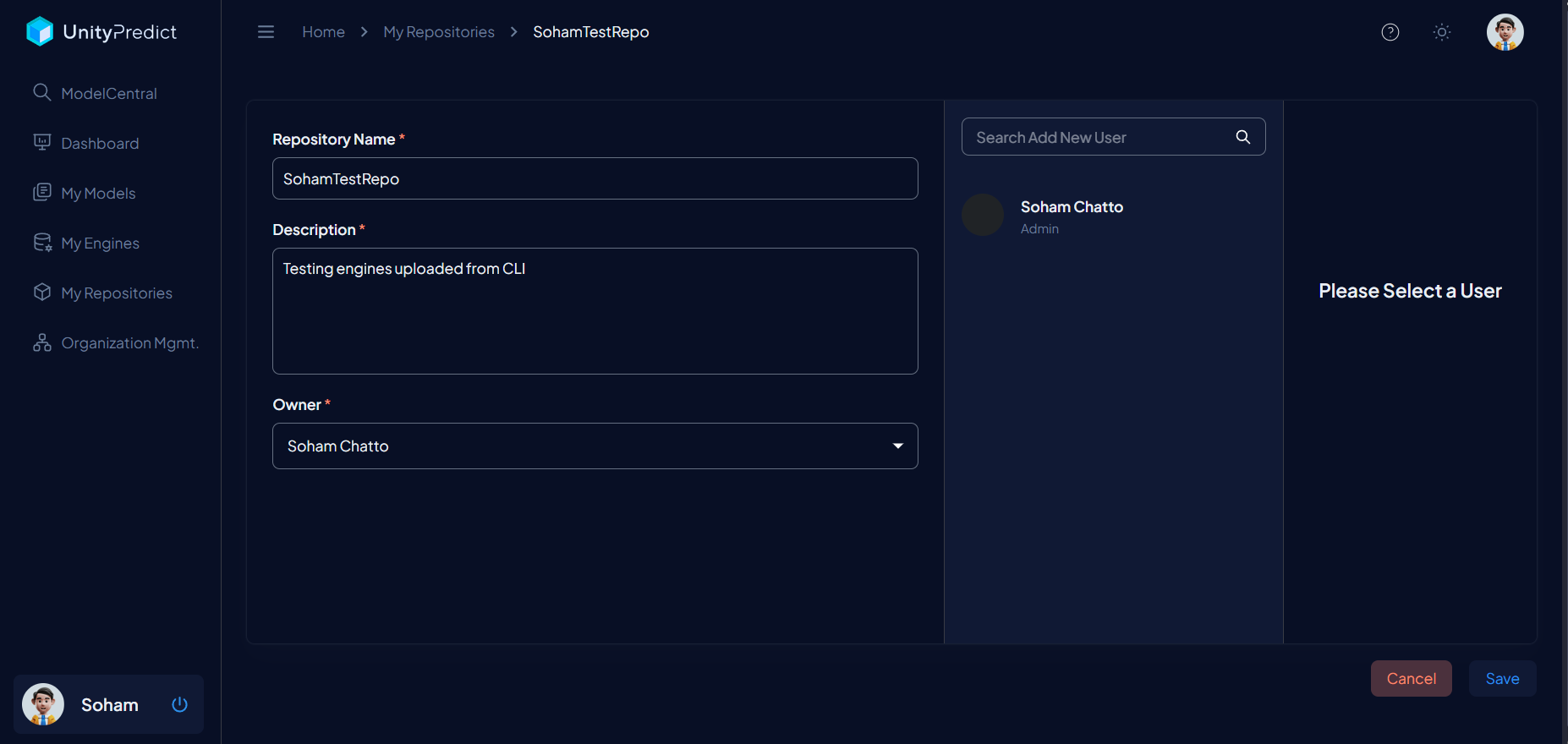
Repository Name:This field specifies a name for the repository.Description:An optional description for the repository.Owner:Assigns an Organization as theownerof a repository. Leave this empty if you like the current/logged-in user to be theowner.User Access Control:Users can be added to the repository with specific roles. At least oneAdminuser is always required. You can select an existing user and change their role or add new users by first clicking theAdd New Useroption and then searching for the user in theAccess Configurationsection.Searching for Users: You can search for a user by their name, if they are part of your select Organization. Otherwise, you have to provide their full email address. Note: user must already have a valid UnityPredict account before being searchable.
Roles: There are multiple roles available, each with different restrictions against Model(s) and Engine(s). These are defined below:
Read-Only: the lowest level access doesn't allow editing or management capabilities. However it does allow inference/prediction against Model(s) and viewing the analytics dashboard.Developer: provides edit/create access to Model(s) and Engine(s) but it doesn't provide ability to edit the repository.Admin: provides full access to the repository, and all engine(s) and model(s) under that repository.Access Configuration:This field assigns roles to users, such as Admin, Developer, or Read-Only, to ensure appropriate access control.